
When setting up your home office with the best electronics, you’ll want to ensure that your workspace is equipped to support your productivity and comfort. From selecting the right gadgets tailored to your work requirements to creating an ergonomic environment that promotes efficiency, every detail matters. By making strategic choices in terms of technology and workspace setup, you can transform your home office into a hub of productivity and innovation.
Choosing the Right Electronics
When setting up your home office, select electronics that cater to your specific needs and enhance productivity. Start by evaluating the type of work you do most frequently. If you’re often on video calls, invest in a high-quality webcam with excellent resolution and sound. For those who handle a lot of paperwork, a reliable scanner can help you digitize documents quickly and efficiently. If your work involves graphic design or photo editing, opt for a computer with a powerful processor and a high-resolution display.
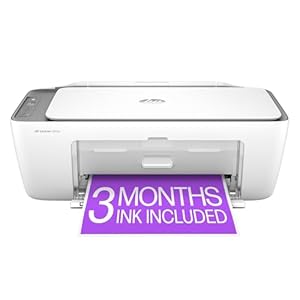
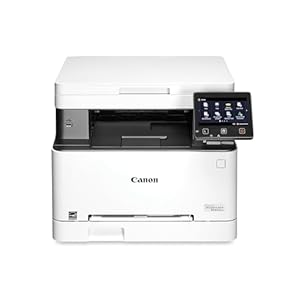
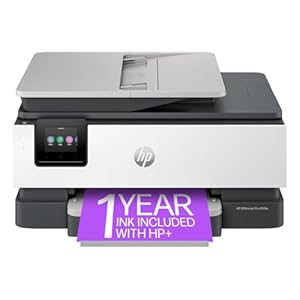
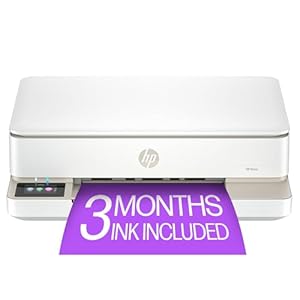
Consider the layout of your home office when choosing electronics. Wireless devices can help reduce clutter and make it easier to move around freely. A wireless keyboard and mouse combination can provide flexibility in positioning and prevent tangling cords. Additionally, a multifunction printer that can print, scan, copy, and fax can save space and streamline your workflow.
Setting Up a Functional Workspace
To create an efficient workspace, focus on organizing your desk and optimizing the layout for productivity. Start by decluttering your desk – keep only the essentials within reach. Invest in desk organizers for pens, papers, and other supplies to maintain a clean and tidy workspace. Position your computer monitor at eye level to reduce neck strain and consider using a separate keyboard and mouse for ergonomic comfort.
Ensure good lighting by placing your desk near a window for natural light or invest in a desk lamp with adjustable brightness. Position your desk in a way that minimizes distractions, such as facing a wall instead of a busy area in your home. Keep cables organized and out of the way using cable clips or ties to prevent tangling.
Personalize your workspace with items that inspire you, such as plants, photos, or motivational quotes. A comfortable chair that supports your back is essential for long work hours. By setting up a functional workspace tailored to your needs, you can boost productivity and create a conducive environment for work.
Optimizing Productivity With Tech Gadgets
Position your computer monitor at eye level to reduce neck strain and enhance your productivity with the latest tech gadgets available for your home office setup. Consider investing in an adjustable monitor stand or mount to achieve the optimal viewing angle. Additionally, a wireless keyboard and mouse can declutter your workspace and provide more flexibility in positioning for improved comfort.
To further boost your productivity, utilize noise-canceling headphones to block out distractions and create a focused environment. These gadgets can be especially beneficial if you share your space with others or have noisy surroundings. Moreover, incorporating smart lighting solutions can help regulate your circadian rhythm and create a well-lit workspace conducive to concentration.
Another useful tech gadget to consider is a charging station to keep all your devices powered up and organized. This will save you time searching for chargers and outlets, ensuring that your electronics are always ready for use. By integrating these tech gadgets into your home office, you can optimize your productivity and create an efficient work environment.
Enhancing Remote Work Experience
Maximize your remote work experience by incorporating essential tech tools and ergonomic solutions into your home office setup. Start with a comfortable chair that provides proper lumbar support to prevent back pain during long work hours. Pair it with a height-adjustable desk to alternate between sitting and standing, promoting better posture and reducing strain on your body.
Invest in a high-quality monitor to enhance your display experience, reducing eye strain and increasing productivity. A wireless keyboard and mouse can declutter your workspace and offer flexibility in positioning. Utilize noise-canceling headphones to block out distractions and improve focus during virtual meetings or while working on tasks.
Upgrade your internet connection to ensure smooth video calls and fast data transfers. Implement a reliable cloud storage solution to securely access and share files across devices. Additionally, consider a smart assistant device like Amazon Echo or Google Home for hands-free scheduling and quick information retrieval.
Trending Products

![Canon PIXMA TS6420a All-in-One Wireless Inkjet Printer [Print,Copy,Scan], Black, Works with Alexa](https://m.media-amazon.com/images/I/21-0hP0b2eL._SS300_.jpg)